
Excited to earn from your art? LettsArt's integration with Stripe simplifies the payment process. Whether you're new to Stripe or already have an account, setting up payments on LettsArt is a straightforward process. Just follow the prompts, customise your settings and you'll be ready to receive payments in no time.
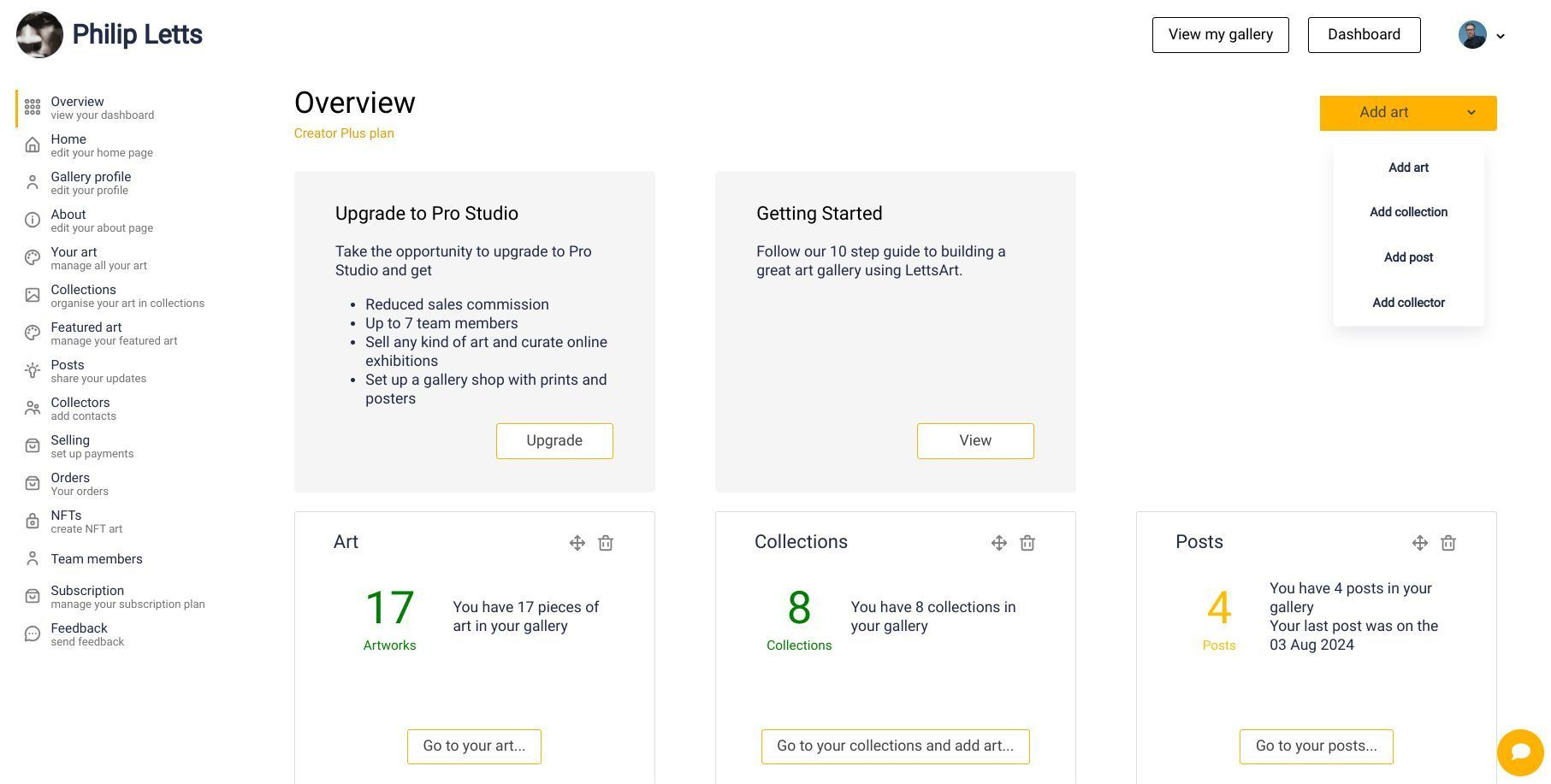
Here’s how :
Open your LettsArt Dashboard and go to Selling (left-side menu). This is where payments are set up.
Click the Stripe setup/connect option:
If you already have a Stripe account, connect it when prompted.
If you don’t, create a new Stripe account from the prompt (individual or business). It only takes a few minutes.
Complete Stripe’s onboarding form and verification. Choose your payout currency, add your bank details, and finish the identity/business checks. You can pick your currency during setup.
Confirm it’s connected. In your LettsArt Dashboard, return to Selling and check that Stripe shows as connected.
Start pricing artworks. Once Stripe is connected, edit your artworks to add price, edition, and delivery details so buyers can check out.
Tips and troubleshooting
If Stripe asks for extra documents (ID, address, etc.), follow the secure link they email or show in your Stripe dashboard. Payouts may pause until verification is complete (typically 24–48 hours).
You can always revisit Selling in your Dashboard to review connection status and settings.
Need help from LettsArt? Contact support via the Contact page.
That’s it - after Stripe is connected and your artworks are priced, collectors can buy directly and you’ll receive payouts to your bank account.

