
Congratulations on upgrading to Creator Plus! We're delighted you're taking the next step in your creative journey with us. With Creator Plus you’ll unlock more freedom, more tools and more control over your gallery.
Here’s what you can now enjoy:
The good news is (1) and (2) are available immediately on upgrading. (5) will be covered in another article.
And (3) is enabled on setting up a custom domain, which we'll cover in this article.
One of the main benefits of upgrading to a paid LettsArt plan is the ability to remove “lettsart.com” from your gallery address and replace it with one that’s completely your own.
It means your gallery lives at a web address that looks professional, feels independent and reflects you rather than a LettsArt link.
You only need to do this once. Take it step by step and you’ll be up and running.
First things first - you need to already own a website address (sometimes called a “domain name”).
This is something you usually buy from places like GoDaddy, Squarespace, Wix or similar.
If you don’t have one yet, your first step is simply to go to one of these services and buy a website address you like.
👉Tip: Choose wisely! Professional and personal helps - don't choose something generic. Relate it to you and/or your creative direction.
Once you own a website address, come back here.
Now decide what your gallery’s address will be.
For example if your main website is www.ABCStudio.com you might choose gallery.ABCStudio.com for your gallery.
👉Tip: Another opportunity to create something distinctive.
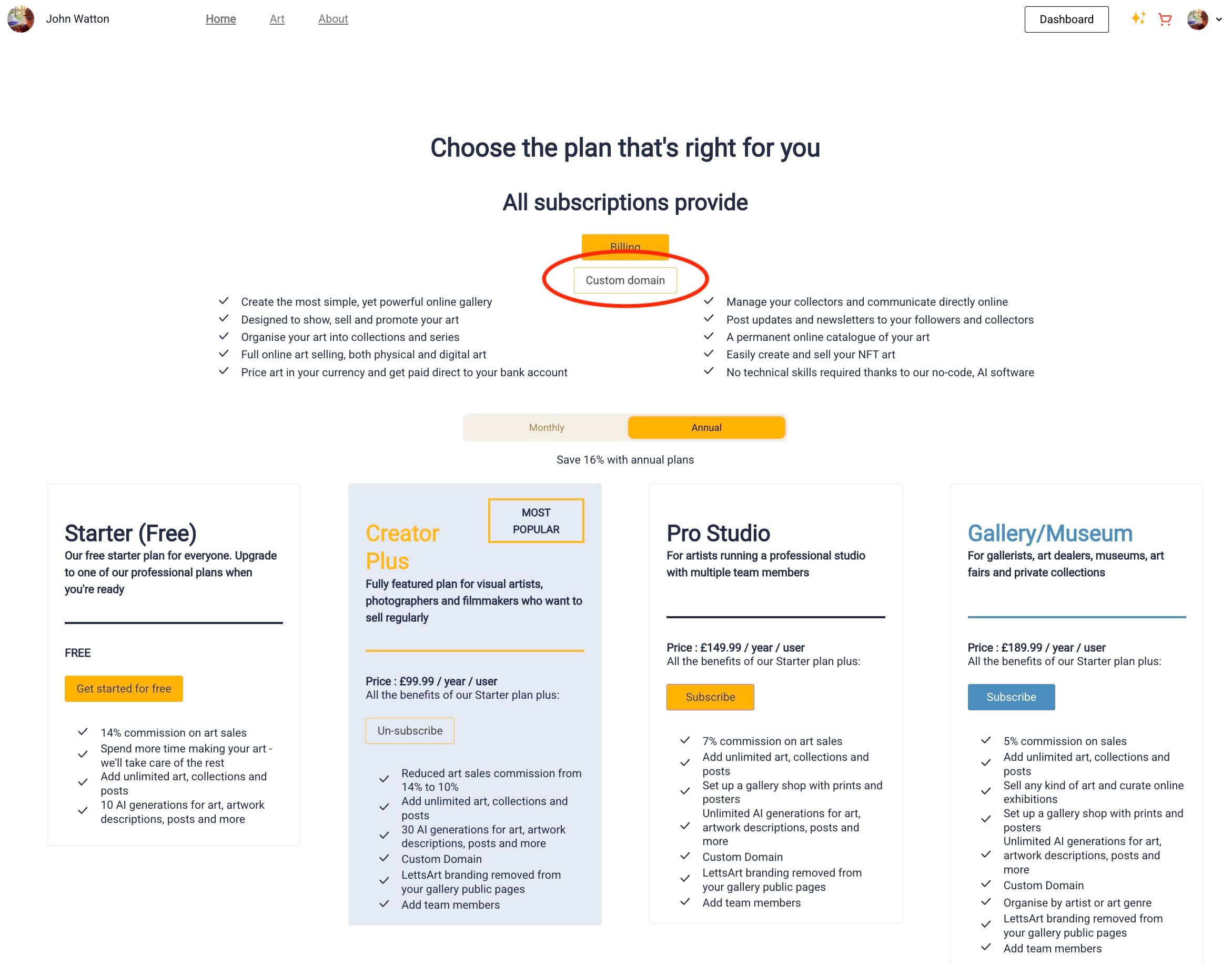
Now go to Subscription and click on "Custom Domain".
Type this gallery address into box provided:
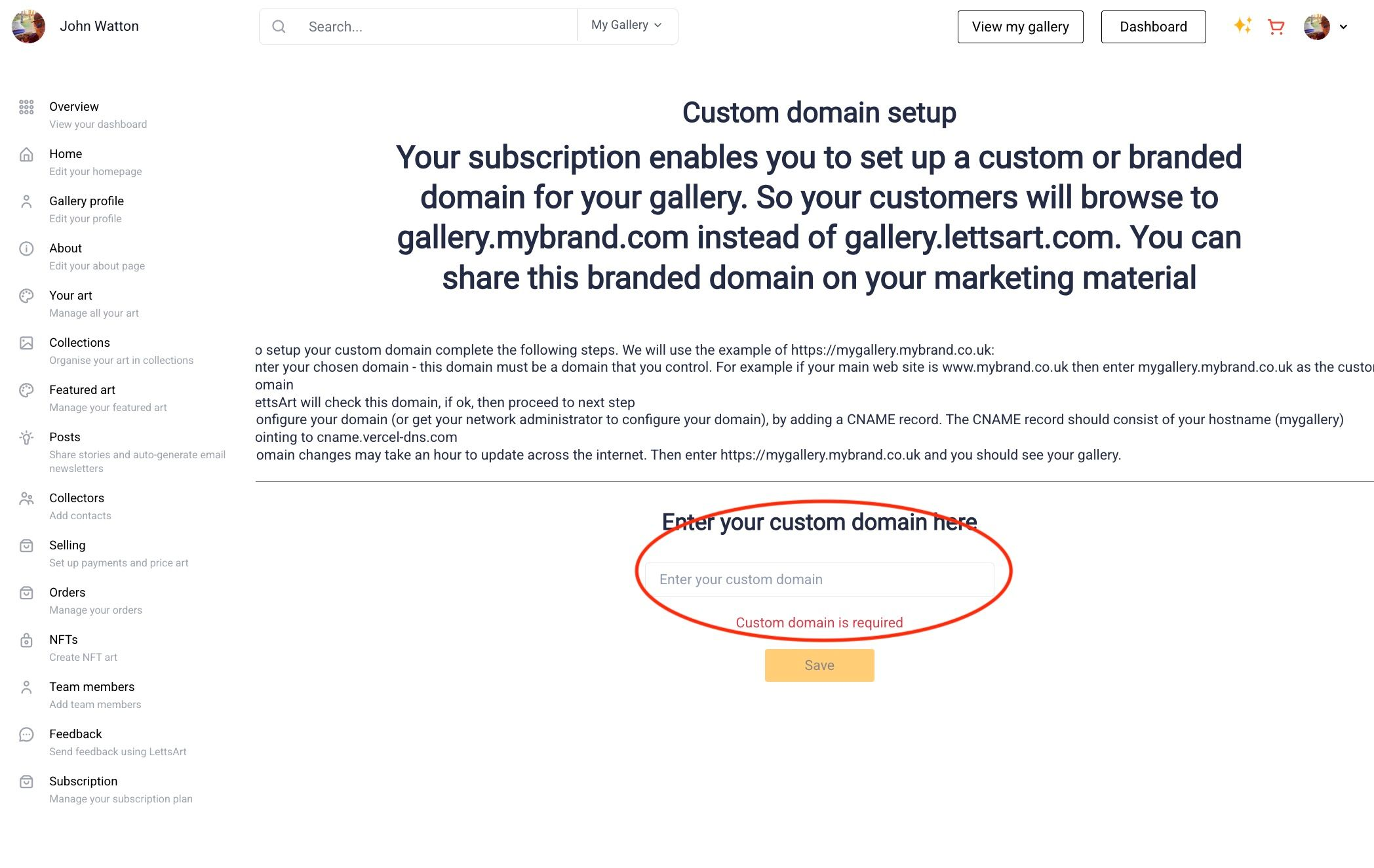
LettsArt will quickly check it and let you know when it’s ready for the next step.
This is the only slightly technical bit.
Log in to the service where you bought your website address, or contact whoever usually helps you with your website.
You need to configure your domain (or get your network administrator to configure your domain), by adding a CNAME record.
👉 Tip: this is usually done in a section with a title like "Domains" on "DNS". Alternatively Google "setting up a CNAME record in [web registration system]"
The CNAME record should consist of your hostname pointing to this URL: cname.vercel-dns.com.
In the example where you want to create the URL gallery.ABCStudio.com the hostname would be gallery.
Changes like this can take up to an hour to spread across the internet.
Once that’s done:
If anything feels confusing, you’re not alone. Just ask and LettsArt AI Assistant is the faster way to get answers.
LettsArt Assistant is there to for you to ask any question you have about LettsArt - no need to email the LettsArt team or search around for the right content!
You can find LettsArt Assistant right inside your dashboard - just tap the ✨ sparkle icon at the top of your LettsArt dashboard, or open the yellow chat icon at the bottom-right corner of LettsArt.com.

