From time to time, artists may decide to close or pause their online gallery. Perhaps you’re focusing on a new project, restructuring your online presence, or simply taking a break from exhibiting your work online.
Whatever the reason, it’s worth remembering something important about LettsArt. Unlike many art platforms, LettsArt is not a marketplace. It is software that allows artists and galleries to create and manage their own online galleries and connect directly with collectors.
Because of this, there is no central marketplace profile to “leave” in the traditional sense. Your gallery is your own digital space - which means you remain in control of it at all times.
In many cases, artists find that they don’t actually need to close their gallery at all. Since LettsArt simply provides the tools to manage your online presence, you can leave your gallery live as a permanent catalogue of your work. Some artists use it as an archive of past collections, a portfolio for curators and collectors, or a place where followers can continue discovering their art over time. This reflects the core philosophy behind LettsArt: giving artists control over how their work is presented and shared.
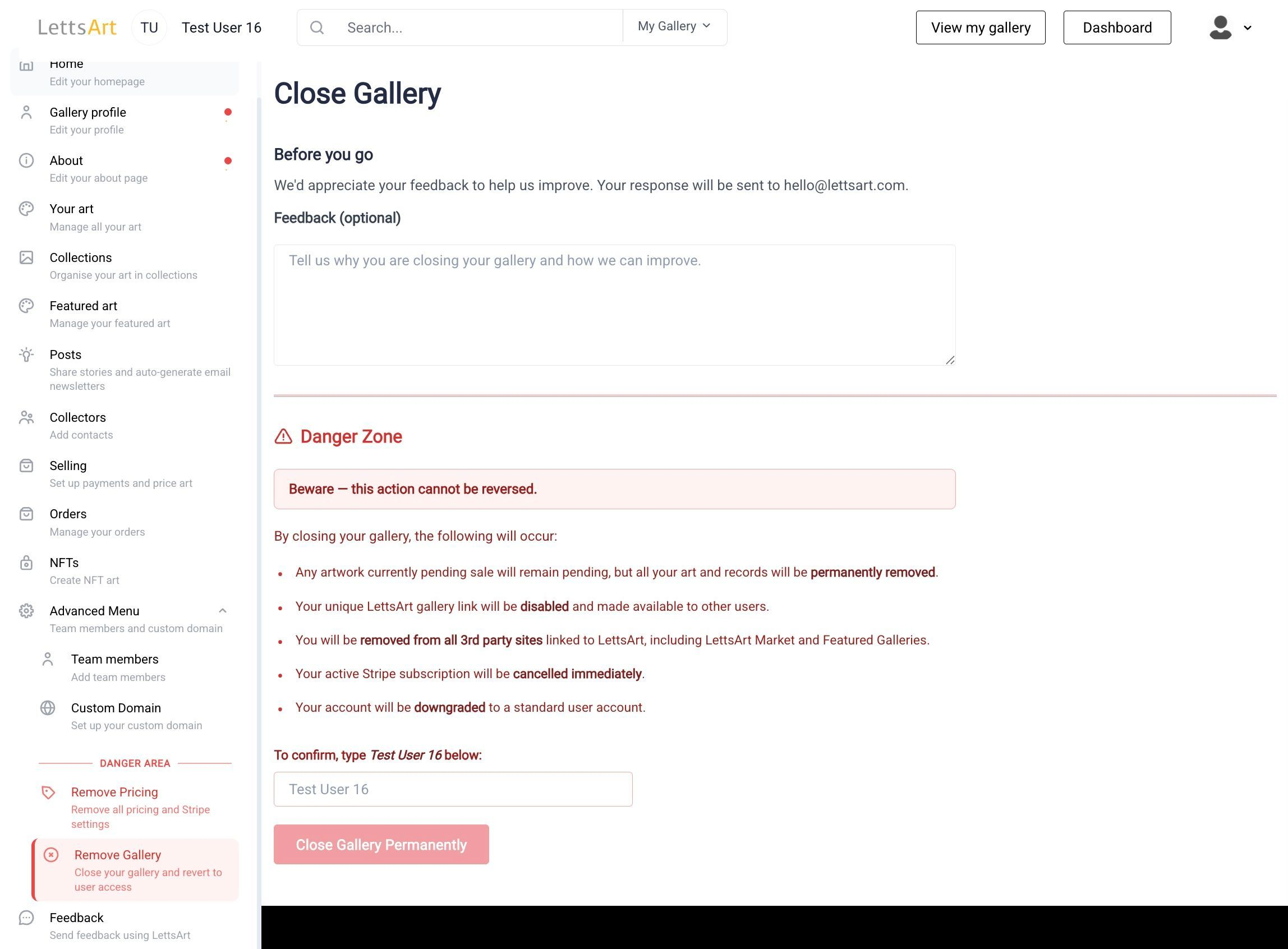
There are a few things to be aware of before proceeding with closing your gallery:
However should you wish, closing your gallery is straightforward:
We do hope this is a temporary situation, and look forward to welcoming you back to LettsArt in the future.

